
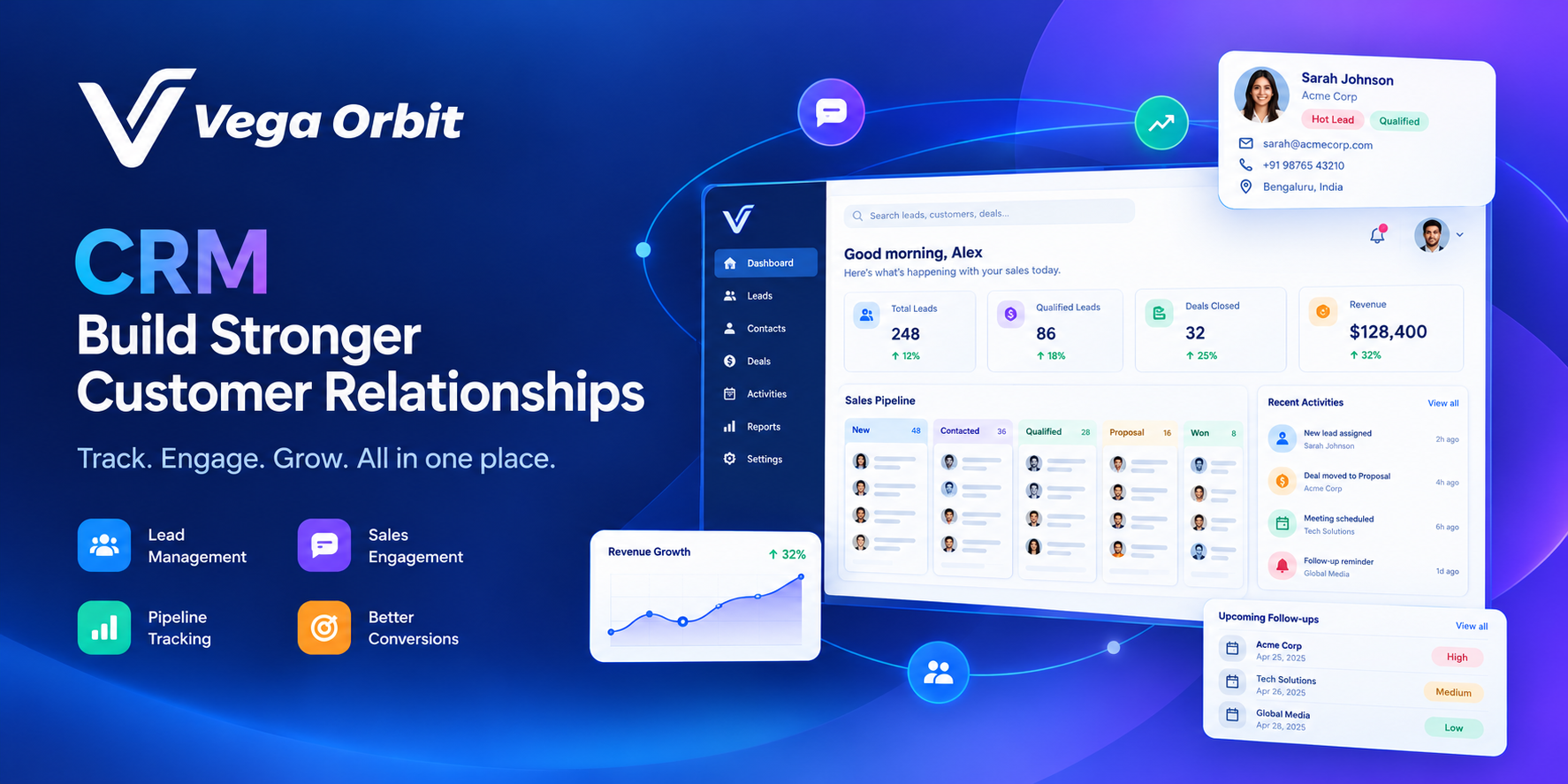
Getting Leads but Not Enough Sales? Here's How VegaOrbit CRM Can Help
You're getting leads. Your team is making calls. But why aren't enough leads turning into customers?
Let's be honest. Getting leads is only half the job. The real challenge is managing them, following up at the right time, and making sure no potential customer gets forgotten.
Imagine this.
A customer visits your website and asks for a quotation. Your sales team receives the enquiry, but everyone is busy. Someone plans to call tomorrow.
Tomorrow becomes Friday. Friday becomes next week.
Meanwhile, the customer has already purchased from your competitor.
Sounds painful, right?
The worst part is that you might never even know why you lost that customer.
This is where a good Customer Relationship Management (CRM) system can make a difference.
Meet VegaOrbit CRM — a smarter way to organise leads, track deals, manage follow-ups, and keep your sales team on the same page.
Explore VegaOrbit CRM: https://www.vegaorbit.com/products/crm
The 5 Sales Problems Every Growing Business Understands
1. Leads are coming in, but follow-ups are getting missed
You spend money on advertising, work hard to generate enquiries, and finally get someone interested in your product.
But then what happens?
The lead sits in Excel. The salesperson forgets to call. Nobody knows whether the customer received the quotation.
A lead without a follow-up plan is a missed opportunity waiting to happen.
VegaOrbit CRM helps you organise leads, assign ownership, and track the next action so your team has a clearer idea of what needs attention.
2. Your sales team is working hard, but everything is scattered
Customer details are in Excel. Conversations are in Gmail. Follow-ups are in WhatsApp. Deal updates are somewhere else.
Your salesperson knows what happened, but the manager doesn't.
And when someone is on leave or leaves the company, finding the customer history becomes even harder.
A CRM gives your team a more organised place to manage customer relationships and sales activities.
3. You don't know which deals are actually close to closing
You ask your sales team, "How much business can we close this month?"
One person says ₹2 lakh. Another says ₹5 lakh. Someone else says they will update the numbers later.
Without a properly maintained pipeline, forecasting becomes guesswork.
With a structured sales pipeline, your team can track deals through stages such as New Lead, Qualified, Proposal Sent, Negotiation, Won, and Lost.
You get a clearer picture of what's moving forward and what needs attention.
4. Managers spend too much time asking for updates
"Did you call that customer?"
"Have we sent the proposal?"
"Why hasn't this deal moved forward?"
These questions are part of sales management, but answering them manually every day wastes valuable time.
A CRM helps make deal ownership, activity history, and follow-up commitments easier to review.
5. You're spending money to generate new leads while ignoring existing ones
Here's something worth thinking about.
Before spending more money to generate new leads, are you making the most of the enquiries you already receive?
Sometimes, improving the follow-up process can be just as important as increasing your marketing budget.
💙 Ek simple si baat samjho...
Lead lana marketing ka kaam hai.
Lead ko samajhna, time par follow-up karna aur deal close karna sales ka kaam hai.
Lekin agar lead hi bhool gaye, toh sale kaise hogi?
Har lead important hai. Har follow-up matter karta hai. Aur har opportunity ko proper attention milna chahiye.
Meet VegaOrbit CRM: Your Sales Team's Daily Companion
VegaOrbit CRM brings your leads, contacts, companies, deals, tasks, and email activity into one organised workspace.
Instead of remembering everything, your team can use a structured process to manage sales activities.
Here's how it can help.
Lead Management
Keep your enquiries organised by lead source, status, and ownership.
For example, if your website generates 40 enquiries in a week, your team can organise those leads and identify which ones need attention.
Sales Pipeline Management
Track opportunities as they move through your sales process.
New Lead → Qualified → Proposal Sent → Negotiation → Won / Lost
No more relying entirely on memory to understand where a deal stands.
Follow-Up Commitments
Record what needs to happen next, who is responsible, and when the action is due.
If your salesperson promises to send a quotation by Friday, that commitment can be tracked rather than getting lost in a conversation.
Gmail Integration
Connect Gmail to send emails from within the CRM and associate conversations with the relevant lead, contact, or deal.
This helps reduce the need to jump between multiple tools to understand a customer's history.
Email Campaigns
The Professional plan includes email campaign functionality, with templates, audience targeting, and tracking for opens, clicks, and bounces.
This can help businesses organise outreach and understand how their campaigns perform.
Sales Overview
Get a clearer view of your pipeline, lead sources, and team activity using the available sales overview.
The aim is simple: help managers make decisions using organised information instead of chasing manual updates.
Always check the current product page for the latest feature availability.
Let's Understand With a Real Example
Meet Rahul. He runs a software services company with 10 sales users.
His team receives enquiries from the website, referrals, and outbound sales activities.
Before introducing a structured CRM process:
❌ Leads are tracked in different spreadsheets.
❌ Salespeople sometimes forget follow-ups.
❌ Managers spend time asking for deal updates.
❌ Customer conversations are difficult to find.
Now, Rahul's team starts managing its sales process through a CRM.
✅ Leads have clear owners.
✅ Deals move through defined pipeline stages.
✅ Follow-up commitments have due dates.
✅ Customer activities are easier to review.
The CRM doesn't magically close every deal. Rahul's team still needs to understand customer requirements, communicate well, and provide a good solution.
But a more organised process can help prevent avoidable mistakes.
This is an illustrative example, not an actual VegaOrbit customer testimonial.
Your Next Customer Might Already Be in Your Lead List
Think about the leads you have already generated.
Some may be waiting for a callback. Others may be waiting for a quotation. A few might simply need one more conversation.
Before spending more money to generate new leads, make sure you're managing your existing opportunities properly.
Ready to organise your sales process?
👉 Explore VegaOrbit CRM: https://www.vegaorbit.com/products/crm
Start with the free plan and see whether it fits your team's requirements.
VegaOrbit CRM Pricing: Which Plan Is Right for You?
One of the biggest concerns for small businesses is the cost of CRM software.
You want something useful for your team, but you don't want to pay for features you don't need.
VegaOrbit CRM offers a free plan for up to three users, along with paid plans for teams that need additional capabilities.
Free Plan — ₹0
Best for: Founders, freelancers, and small teams starting with CRM.
Up to 3 users
Unlimited leads, contacts, companies, and deals
Sales pipeline and follow-up reminders
CSV import and export
Email support
Why consider it?
You can begin organising your sales process without paying a subscription fee.
Starter Plan — ₹999/month
Best for: Small sales teams that need more structured daily workflows.
3 users included
Direct email from the CRM
Follow-up commitments with owners and due dates
Full activity timeline
Team roles and workspace settings
Additional users: ₹299/month per user.
Why consider it?
Choose Starter if your main priority is managing leads, tracking deals, and improving follow-ups with a more organised workflow.
Professional Plan — ₹1,999/month
Best for: Growing teams that also need email campaign capabilities.
3 users included
Everything in Starter
Email campaigns and templates
Audience targeting
Campaign performance tracking
Sales overview dashboard
Priority support
Additional users: ₹549/month per user.
Why consider it?
Professional may be the better choice if your team needs email campaigns and campaign reporting alongside its CRM activities.
⚙️ Custom Plan — Contact VegaOrbit
Best for: Businesses with specific integration or workflow requirements.
Potential requirements include WhatsApp and calling integrations, automation, custom modules, data migration, and API access.
Contact VegaOrbit to confirm which features are available for your requirements and obtain a quote.
👉 View the current plans: https://www.vegaorbit.com/products/crm
Pricing shown is based on the product page checked in October 2026. Paid prices are proposed estimates, and 18% GST is charged separately. Confirm the final prices and terms before purchasing.
Which Plan Offers the Best Value?
Let's compare the plans based on what your business actually needs.
Your requirementPlan to considerStarting with CRM for freeFreeManaging leads and follow-ups with emailStarterRunning email campaigns and tracking resultsProfessionalCustom integrations and specialised workflowsCustom
Example: What Would a 10-Person Team Pay?
Let's calculate the estimated monthly subscription for 10 users.
Starter
₹999 + (7 × ₹299) = ₹3,092/month
Professional
₹1,999 + (7 × ₹549) = ₹5,842/month
These figures exclude GST and are based on the published pricing structure.
Our recommendation: If your team mainly needs lead management and sales follow-ups, start by evaluating Starter. If email campaigns and campaign analytics are important to your workflow, compare Professional before deciding.
The best-value plan is the one that meets your requirements without making you pay for unnecessary features.
How Does VegaOrbit CRM Compare With Other CRMs?
VegaOrbit's published comparison for a 10-user team lists these monthly prices:
CRMListed monthly priceVegaOrbit CRM Starter₹3,092Freshsales Growth₹8,990Zoho CRM Standard₹13,000
These figures are from VegaOrbit's published comparison, checked in October 2026. They are not a complete feature-for-feature comparison. Competitor prices, billing conditions, and included features may change, so verify current offers directly with each provider.
VegaOrbit CRM has a lower listed monthly cost in this comparison. However, price alone shouldn't determine your decision.
Consider your team's workflow, required integrations, reporting needs, security requirements, and customer support expectations before choosing a CRM.
What About Customer Data and Security?
Your CRM contains important business information, from customer contact details to conversations and sales opportunities.
According to VegaOrbit's product page:
CRM data is hosted on AWS in Mumbai.
Workspaces are isolated.
Traffic is encrypted over HTTPS.
Access is controlled through user roles.
The product also supports CSV imports with duplicate checks and data exports.
Before moving sensitive customer information, review the full security, privacy, backup, and data-retention arrangements with the provider.
Frequently Asked Questions
Is VegaOrbit CRM free?
Yes. The Free plan supports up to three users, with unlimited leads, contacts, companies, and deals, according to the product page.
Do I pay more when I add more leads?
The published plans are priced by user count rather than the number of leads, contacts, companies, or deals.
Can I import my existing Excel data?
Yes. CSV import and export are supported, with duplicate checks during imports.
Can I send email campaigns?
Yes. Email campaigns, templates, audience targeting, and campaign tracking are included in the Professional plan.
Does VegaOrbit CRM support WhatsApp and calling?
WhatsApp and calling integrations are listed under the Custom plan. Contact VegaOrbit to confirm availability and pricing for your specific requirements.
Is VegaOrbit CRM suitable for small businesses?
It may be a good fit for small businesses that want to organise leads, manage a sales pipeline, and track follow-ups. Compare the available features with your requirements before deciding.
Final Thoughts: Stop Losing Track of Opportunities
Generating leads takes time, effort, and money.
Your team works hard to attract customers, make calls, send proposals, and build relationships.
Don't let that effort go to waste because a follow-up was forgotten or a deal update was missed.
A CRM cannot guarantee sales, but it can help your team work in a more organised way, keep track of commitments, and understand which opportunities need attention.
Fewer missed follow-ups. Better organised sales. More clarity for your team.
Ready to get started?
👉 Try VegaOrbit CRM for free: https://crm.vegaorbit.com/
👉 Explore features and pricing: https://www.vegaorbit.com/products/crm
Related articles
VegaOrbit People: A Simple Guide to Employee Management Software
Managing employee records, attendance and leave requests can become difficult as your business grows. Discover how HR management software can simplify everyday work and what to consider when exploring VegaOrbit People.